
The librarian who never forgets: understanding how AI reads your documents
You may have already tried “giving a document” to ChatGPT: you attach a contract, ask a question, the AI answers. It’s convenient. But you’ve probably noticed that by the next session, it has forgotten everything. You start again. You reattach the file. You ask the question again.
There’s another approach: more efficient, more secure, and infinitely better suited to professional use. It’s called RAG. And to understand how it works, imagine a very particular librarian.
The librarian who knows all your files
Imagine you hire a librarian to manage all the documentation in your office. On the first day, you give her access to all your files: contracts, procedures, templates, case law, internal notes. She spends the week reading everything, filing it all, creating summary cards. She doesn’t memorise every word, but she knows exactly where to look.
From the second week, you can ask her anything: “In the Dupont contract from 2022, what is the termination clause?” She doesn’t re-read the entire contract. She checks her card, goes directly to the right section, and gives you the answer in a matter of seconds.
That’s exactly what a RAG system does. RAG stands for Retrieval-Augmented Generation – literally: generation augmented by retrieval.
You don’t need to hand her the contract every time. It’s already in her working memory. And if you update a document, you just let her know and she updates her card. That’s it.
Concretely: what happens when documents are “indexed”?
Indexing is our librarian’s cataloguing work. Technically, here is what happens, step by step:
| 1. Reading the documents | The AI goes through each file (PDF, Word, text…) and splits it into small blocks of a few paragraphs. |
| 2. Creating fingerprints | Each block is converted into a sequence of numbers (called a “vector”) that represents its meaning – not its exact words, but its semantic content. |
| 3. Storing in an index | These fingerprints are stored in a local database, like a very precise library catalogue. |
| 4. Answering a question | When you ask a question, the AI searches the index for the blocks closest to your question and uses them to build its answer. |
This process happens just once at installation. After that, each question takes less than a second.
Where are these indexes stored? Who can see them?
This is where the difference between a cloud solution and a local solution becomes critical.
With a cloud solution (ChatGPT Enterprise, Microsoft Copilot, etc.): your documents are sent to remote servers to be indexed. The index is stored with the provider. Technically, that provider has access to your data, even if they contractually commit not to use it. In the event of a data breach on their side, your office is exposed.
With ArkeoAI: indexing happens directly on the mini PC installed on your premises. The indexes never leave your network. No one else has access to them – not even us.
Your documents never have to leave your office to be “understood” by the AI. The intelligence comes to them – not the other way around.
Who creates the index, and what does it cost?
With ArkeoAI, we carry out the initial indexing during installation. You provide your documents (or access to your shared folder) and we configure the system to know where to search and how to respond.
This work is included in the installation. There is no per-document indexing cost, no usage-based billing. Once the system is in place, it runs autonomously.
If you add new documents? You contact us, or, depending on your configuration, you can do it yourself via a simple interface. The AI updates its index in a matter of minutes, without any service interruption.
Why not simply attach the document to each question?
That’s the most intuitive approach – and the most limited one. Here’s why:
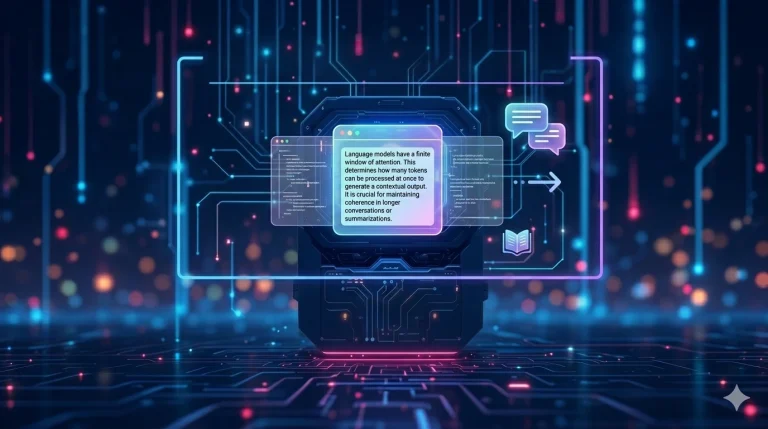
• The AI’s memory is limited. An AI model can only process a certain amount of text at once (the “context window”). An 80-page contract often exceeds this limit, and the AI truncates it – without telling you clearly.
• You have to provide everything again for each session. No memory persists between two conversations. Every time, you manually reconstruct the context.
• Data leaves your organisation with every upload. Every file attached to a question is transmitted to the provider’s server. For confidential documents, this represents repeated exposure.
• It doesn’t work across multiple documents simultaneously. If your answer requires cross-referencing three contracts and two internal notes, the “attach” method quickly becomes unmanageable.
| Attaching a document | RAG (ArkeoAI) | |
| Remembers between sessions | ✗ No | ✓ Yes |
| Indexes hundreds of documents | ✗ No | ✓ Yes |
| Automatically finds relevant info | Partial | ✓ Automatic |
| Data sent outside your organisation | ✗ Every time | ✓ Never |
| Updating documents | ✗ Manual every time | ✓ One update is enough |
| Works without internet | ✗ No | ✓ Yes |
Why does ChatGPT Enterprise require a separate subscription?
ChatGPT Enterprise includes a feature similar to RAG – called “Knowledge” or a custom knowledge base. But this feature requires additional infrastructure from OpenAI: dedicated servers to store your indexes, data isolation from other clients, a technical team for configuration.
That’s why this level of service cannot be included in the standard €20 subscription. It requires an enterprise contract with annual commitment, configuration by a dedicated contact, and pricing starting at around €60/user/month.
In short: you pay more because you’re asking for more – but you always pay for someone else to manage your data on your behalf.
With ArkeoAI, you don’t outsource the management of your data. You remain its owner and manager – with all the peace of mind that entails.
What to remember
Attaching a document to a question is convenient for occasional use. But for a professional office that works with its own files every day, it’s a makeshift solution.
RAG is the professional version of this process: the AI knows your documents at all times – without you having to hand them over again and again, without them leaving your premises, and without extra cost for each question.
It’s the difference between borrowing a book every time you need it and having your own librarian who knows every page of your document collection.